
Solution · Built for movers
Commercial Moving Software for Multi-Service Projects
Plan an office relocation around its sites, phases and service requirements instead of treating it as a household move with a different label. Moverai connects commercial customer details, inventory, separate services, dates, stops, resources, documents and final charges.
Inside Moverai
See the workflow in the real product.
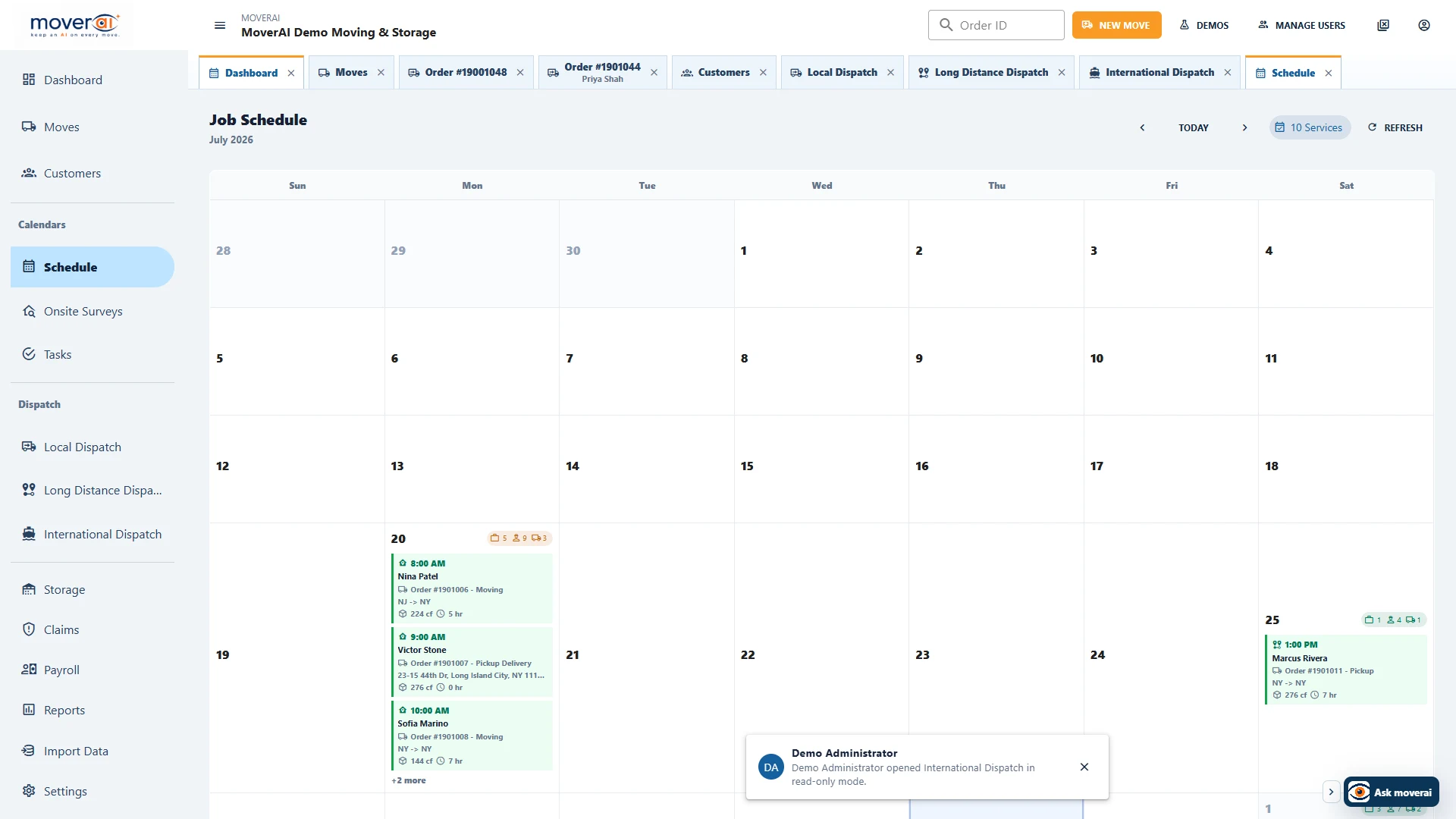
The service schedule helps operations review dated work and resource needs. This is a scheduling view, not a project dependency or critical-path planner.
Business outcomes
What changes for your team.
Organize complex locations and services
Keep project requirements visible at handoffs
Track operational and financial completion
A realistic workflow
How moving teams use it.
Illustrative office relocation: a company moves desks, chairs and file cabinets from two suites into a new office. Staff records each pickup and delivery stop, access notes and site contacts. Packing is scheduled Friday, the main move Saturday and a separate follow-up service Monday. The dispatcher reviews crew and truck needs for each service; the project manager keeps inventory, signed documents, exceptions and final charges on the same commercial order.
A phase is work the team can schedule and dispatch
Represent packing, relocation and follow-up work as services with their own dates, stops and requirements. Check the sequence with the customer and dispatch team; storing several service dates is not an automatic dependency scheduler.
Use inventory descriptions and notes to preserve what goes to each destination. Review labels, quantities and special handling with the crew rather than assuming AI can identify a commercial asset’s destination.
Close the project with its operational record
Review actual work, materials, documents, signatures and exceptions before finalizing charges. The order retains payment and closeout context so sales, operations and accounting do not have to assemble a second project file.
Feature overview
What the feature supports.
Sites, contacts and access requirements
Record the business customer, pickup/delivery stops and requirements with the order. Preserve access windows, elevator or loading notes, site contacts and handling information for the people doing the work.
Separate services and operational dates
Keep packing, moving and other configured services on the same order, with their own dates and requirements. Additional services make phased work visible without rebuilding the customer record for each activity.
Crews, trucks and reviewed project pricing
Use scheduled services and dispatch to assign people and equipment. Keep project charges reviewable; the commercial demo enters an approved proposal with automatic calculation off rather than pretending that household rules price the entire project.
Evidence for operational closeout
Retain inventory, attachments, letters, field notes, customer signatures where configured, actual charges and payments with the order. Staff checks completed work and unresolved exceptions before financial closeout.
How it works
Follow the workflow.
- 1. Capture business contacts, sites, inventory and access restrictions
- 2. Define each phase as the appropriate service with stops, dates and requirements
- 3. Review the commercial proposal and confirm the agreed service scope
- 4. Assign crews and trucks to the scheduled services
- 5. Review field records, exceptions, documents and final charges at closeout
What AI contributes
AI prepares the work.
AI assistance can help prepare information and find workflow guidance. Project scope, service sequence and commercial charges remain explicit, staff-reviewed decisions.
Human review boundary
Your people make the decisions.
Your team confirms site access, dates, resources, customer scope, document requirements and final price. Do not assume automatic dependency scheduling, IT disconnection/reconnection or a third-party project-management integration.
Frequently asked questions
Questions about this workflow.
See the workflow
Explore the applicable Moverai demo.
See it in action
Explore Moverai in a live working environment.
No booking or sales call required. Choose a workflow and explore it immediately.