
Feature · Built for movers
AI Inventory Vision for Moving Companies
Turn captured room views into an editable moving inventory. AI Inventory Vision identifies visible household goods; your estimator or customer checks quantities, measurements and missing items before the list becomes an input to a moving estimate.
Inside Moverai
See the workflow in the real product.
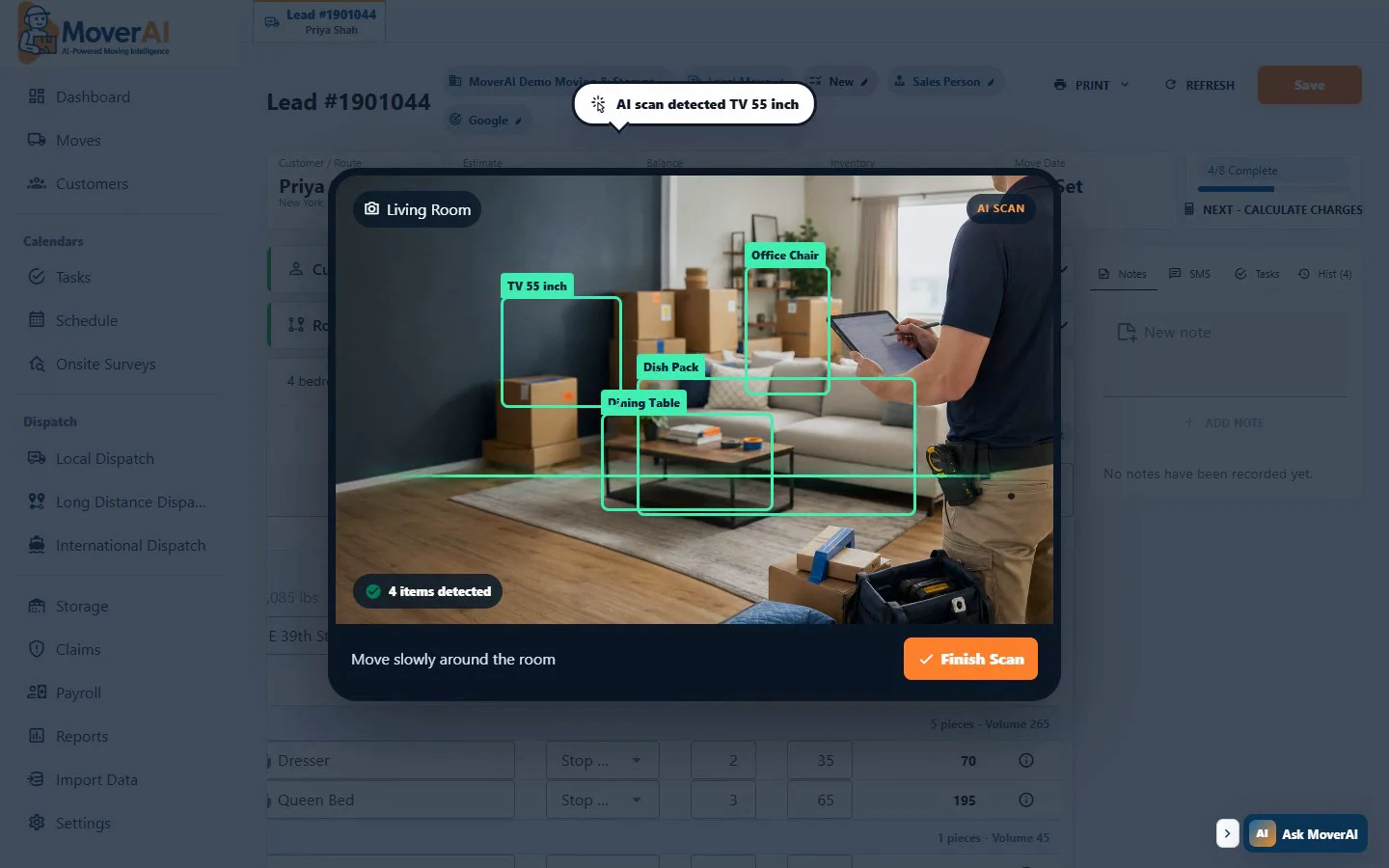
Look for the detected item list and editable quantities. Recognition is a starting point for review, not confirmation that every item is included.
Business outcomes
What changes for your team.
Reduce manual room-by-room item entry
Deduplicate visible items across captured room views
Return quantities, dimensions, volume, weight, and handling details for review
A realistic workflow
How moving teams use it.
Illustrative living room: the camera sees one sofa, two armchairs, a coffee table and a floor lamp. Review that there are five pieces—not four rows—and that the two armchairs are two real objects. Add a packed closet or a dismantled desk manually if it was not visible. Correct unusually large furniture measurements before preparing charges.
What if the camera misses a room or duplicates a piece?
Review the list room by room against the customer’s actual move. Add missing items manually or capture another view; remove repeat detections without deleting genuinely separate matching items. Do not infer the contents of a closed carton or cupboard.
For large, fragile or unusual pieces, verify dimensions and handling notes directly. A successful scan does not guarantee a complete inventory.
From item list to estimate preparation
Quantities and per-item volume/weight contribute to inventory totals. The estimator still adds access conditions, labor, travel, packing and the company’s rates. Keep these decisions visible before sending the customer an estimate.
Feature overview
What the feature supports.
Capture the room, not just a doorway
Use supported camera capture to collect views around a room. Include different angles and separate rooms clearly. Camera permission, lighting and visibility affect what can be detected.
Review quantities and estimated measurements
The completed analysis prepares item rows with quantities and per-item volume/weight information. Check catalog or estimated measurements, unusual sizes and quantity totals before using the result for planning.
Correct missed and repeated items
The analysis attempts to consolidate the same physical object seen in overlapping views. Review repeated rows, distinguish two similar chairs from one chair seen twice, remove false detections and add items hidden inside closets or outside the camera view.
Continue into the working order
Reviewed inventory can be attached to the active move and used alongside services, route access and company rates for estimate preparation. An item list alone does not determine a final crew, price or customer commitment.
How it works
Follow the workflow.
- 1. Capture room views with the camera and check coverage
- 2. Analyze the captured views for visible items
- 3. Review item names, quantities, dimensions, volume and weight
- 4. Correct duplicates and add hidden, missed or unusual items
- 5. Use the reviewed list with services and company rates to prepare the estimate
What AI contributes
AI prepares the work.
AI identifies visible items and prepares structured inventory, attempting to remove repeat detections from overlapping views. Volume and weight are planning estimates, not certified measurements.
Human review boundary
Your people make the decisions.
A person confirms coverage, quantities, measurements, excluded items and handling requirements. Hidden contents, obstructed objects and poor images can require manual entry or another survey.
Frequently asked questions
Questions about this workflow.
See the workflow
Explore the applicable Moverai demo.
See it in action
Explore Moverai in a live working environment.
No booking or sales call required. Choose a workflow and explore it immediately.