
Feature · Built for movers
Moving Schedule and Calendar for Every Service
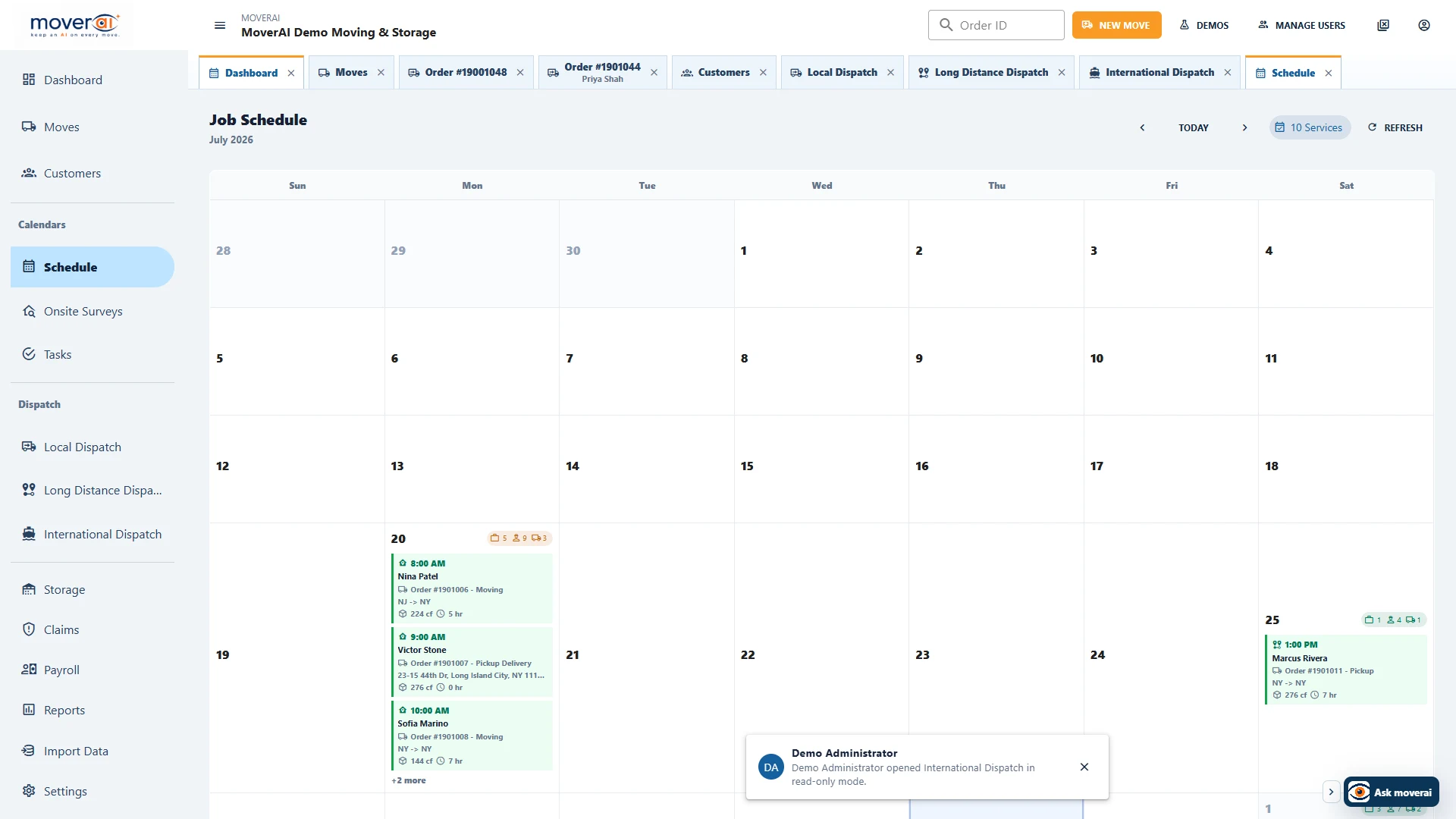
See surveys, local jobs, route legs, storage work, crews, vehicles, and service dates without detaching them from their orders.
Inside Moverai
See the workflow in the real product.
Moving Schedule and Calendar for Every Service inside the connected Moverai workflow.
Business outcomes
What changes for your team.
Review day, week, and month workload
Open the underlying order from scheduled work
Expose unassigned jobs before dispatch
A realistic workflow
How moving teams use it.
Operations reviews tomorrow’s booked services, identifies an unassigned local job, and opens it directly in dispatch.
Feature overview
What the feature supports.
Service dates in one view
Review surveys, local jobs, route legs and storage work in day, week or month context while keeping links to the underlying orders.
Unassigned work before dispatch
Use the schedule to identify services that still need staff or equipment before the operational day starts.
How it works
Follow the workflow.
- 1. Review upcoming services
- 2. Open an order's requirements
- 3. Identify unassigned work
- 4. Confirm dispatch assignments
What AI contributes
AI prepares the work.
AI helps find schedule context and prepare follow-up work without changing assignments automatically.
Human review boundary
Your people make the decisions.
Dispatchers approve service dates, staffing, equipment, and customer commitments.
Frequently asked questions
Questions about this workflow.
See the workflow
Explore the applicable Moverai demo.
See it in action
Explore Moverai in a live working environment.
No booking or sales call required. Choose a workflow and explore it immediately.