
AI reports and back office
Build reports with AI and manage the back office.
Moverai replaces disconnected admin tools with workflows that already understand the customer, order, service, employee, and financial context.
Administrative work uses the same customer, order, employee, and financial data.
Administrative tools with order context
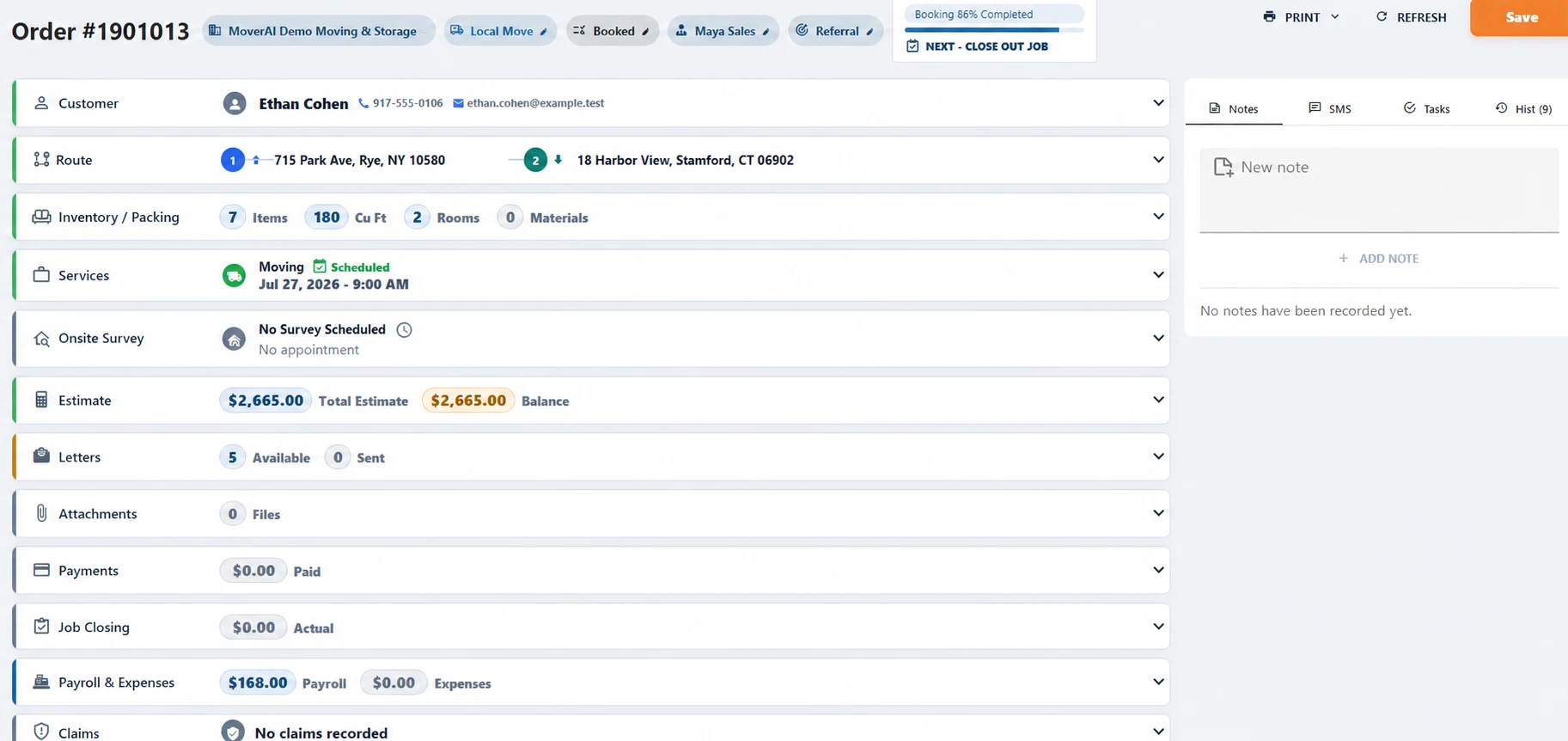
Documents + communication
Design once. Merge, send, sign, and track from the order.
Build printable templates over image or PDF backgrounds, place merge/signature/date/formula fields, preview with sample data, and surface the right templates from the order Print menu.
- ✓Letters and operational documents remain distinct
- ✓Email, SMS, link, PDF, sending rules, and recipient configuration
- ✓Customer signature flow and signed artifact history
Reports + control
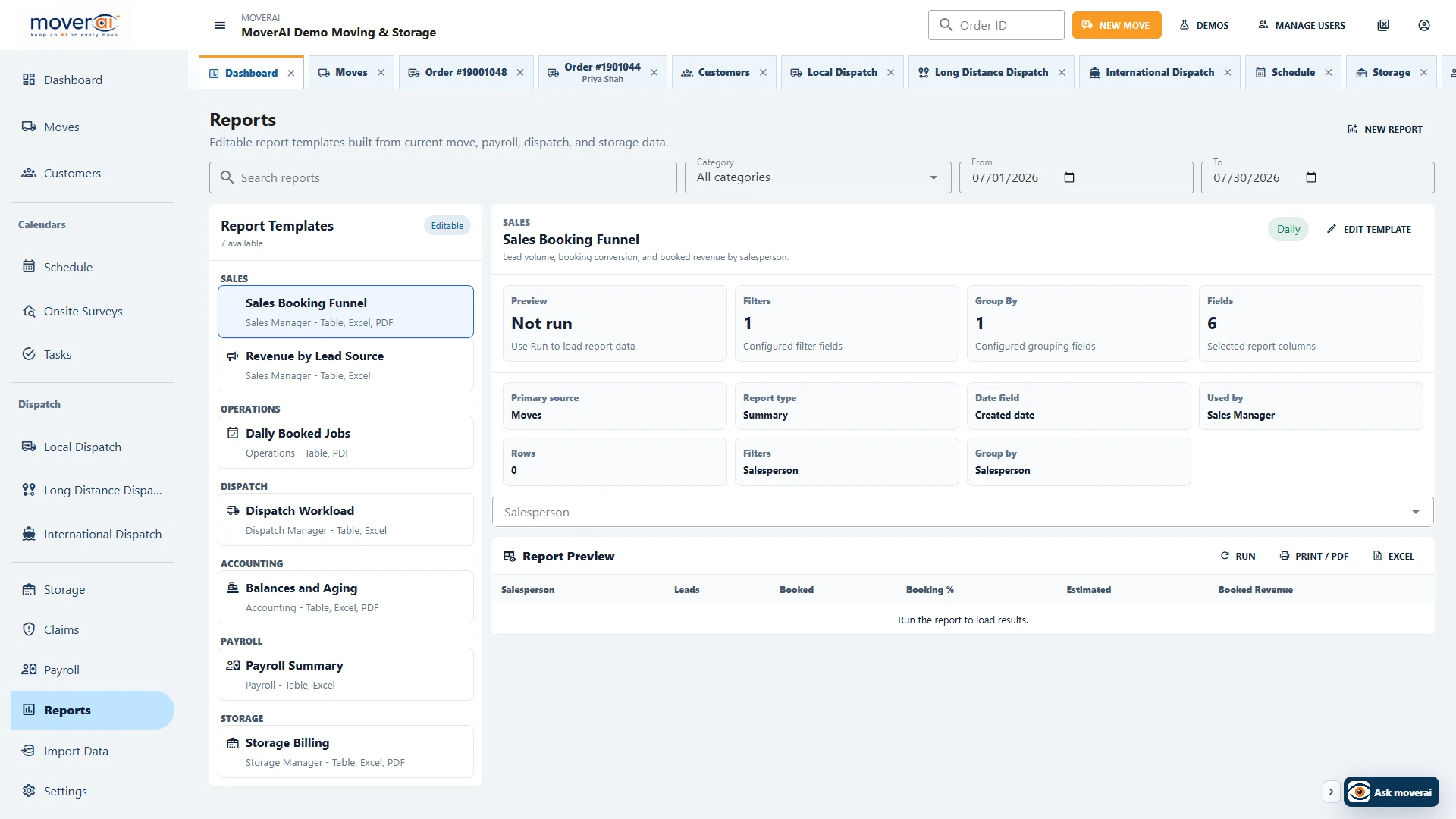
Ask for the report, then refine the real data model.
The report wizard accepts a plain-language description or manual configuration, then lets users choose sources, date fields, report type, columns, filters, grouping, summaries, and outputs.
- ✓Move, dispatch, payroll, storage, claim, and payment sources
- ✓Records, grouped, and summary modes with print/PDF/Excel
- ✓Server-enforced roles and permission trees for pages, sections, settings, and actions
Across the operation
Keep the work connected from one team to the next.
When inventory changes, estimating gets the new quantities. When a service is booked, dispatch gets the route legs. When a customer changes an address, the office gets an alert. When storage inventory moves out, Moverai creates a move request.
Teams spend less time copying information between systems or checking which version is current.
See it in action
Explore Moverai in a live working environment.
No booking or sales call required. Choose a workflow and explore it immediately.