
Storage operations
Manage storage inventory, space, and billing.
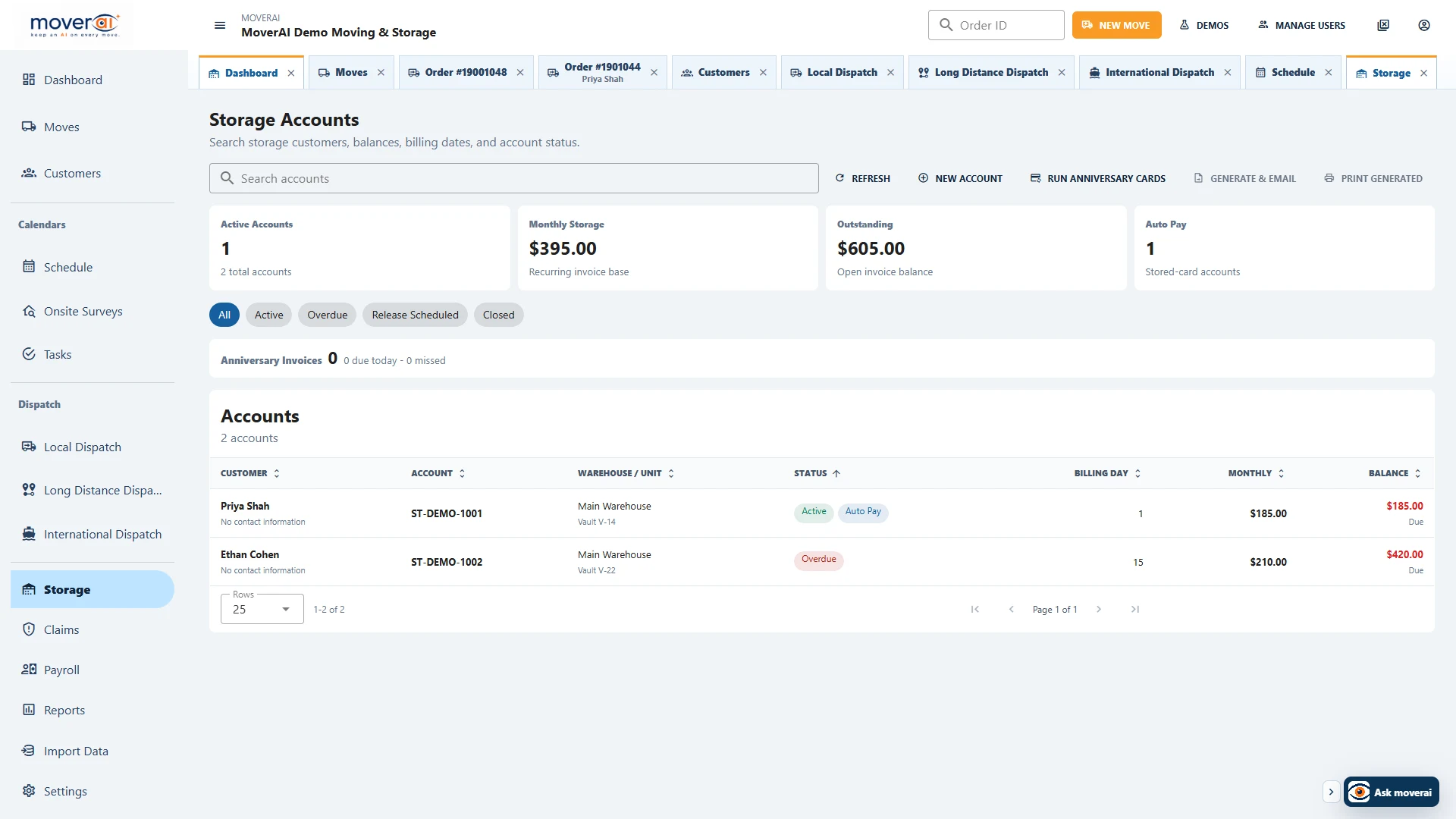
Manage warehouse space, storage inventory, recurring charges, anniversary invoices, stored cards, payments, and linked move-in and move-out orders.
Keep the storage account, inventory, invoices, payments, and related moves together.
From move-in through move-out
Storage account
Customer, unit, charges, inventory, invoices, and cards in one workspace.
Assign warehouses and vaults/cages/rooms, track status and dates, define monthly charges, and generate missed anniversary invoices when needed.
- ✓Available-space selection by warehouse
- ✓Recurring and one-time charges with tax and insurance
- ✓Invoice, email, print, payment, and auto-pay workflows
Inventory movement
Move all—or only selected inventory—out of storage.
Select storage inventory to create a move-out order. Partial move-outs mark only those pieces pending; full emptying can close the account move-out date.
- ✓Inventory stays associated with its storage account and address
- ✓Move-in and move-out orders link back to the account
- ✓Customer portal exposes storage, inventory, invoices, and payments
Across the operation
Keep the work connected from one team to the next.
When inventory changes, estimating gets the new quantities. When a service is booked, dispatch gets the route legs. When a customer changes an address, the office gets an alert. When storage inventory moves out, Moverai creates a move request.
Teams spend less time copying information between systems or checking which version is current.
See it in action
Explore Moverai in a live working environment.
No booking or sales call required. Choose a workflow and explore it immediately.