
Feature · Built for movers
Onsite and Virtual Surveys Connected to Estimating
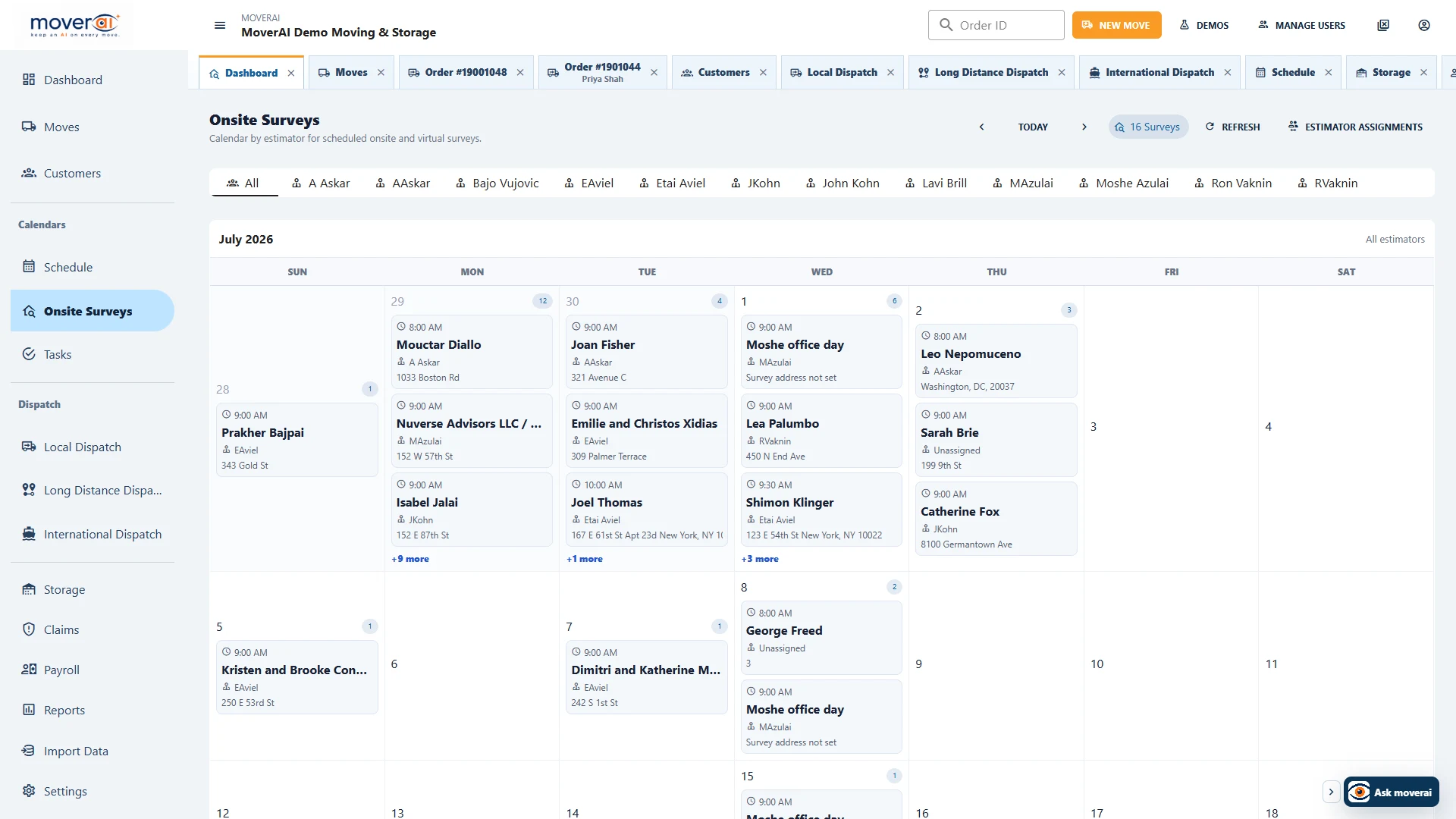
Schedule onsite or virtual surveys, capture access, inventory, photos, requirements, and notes, then return the completed work to the office estimate.
Inside Moverai
See the workflow in the real product.
Onsite and Virtual Surveys Connected to Estimating inside the connected Moverai workflow.
Business outcomes
What changes for your team.
Keep survey appointments and ownership visible
Capture inventory and photos in the field
Continue estimating from the completed survey record
A realistic workflow
How moving teams use it.
An assigned estimator opens the day schedule on a tablet, documents access and inventory at the residence, and returns a ready-to-price survey.
Schedule the appointment; complete the survey in the field app
Office staff records the survey date and assigns an estimator. The estimator opens the company portal’s separate Estimator App using an active estimator employee account, reviews the assigned appointment and captures inventory, photos, access details and notes.
Initial sign-in and loading require connectivity. Supported queued field updates must synchronize before office staff can rely on them; a local pending change is not proof that the saved office record has changed.
Feature overview
What the feature supports.
Survey appointments with context
Assign onsite or virtual survey work with the customer's route, date, access information and existing move requirements.
Findings that continue into pricing
Capture inventory, photos and field notes on the survey rather than rebuilding them in a separate estimate.
How it works
Follow the workflow.
- 1. Schedule and assign the survey
- 2. Review customer and access details
- 3. Capture inventory and photos
- 4. Continue the office estimate
What AI contributes
AI prepares the work.
AI Inventory Vision can prepare editable item inventory during a guided room scan.
Human review boundary
Your people make the decisions.
The estimator validates access, inventory, services, measurements, and pricing.
Frequently asked questions
Questions about this workflow.
See the workflow
Explore the applicable Moverai demo.
See it in action
Explore Moverai in a live working environment.
No booking or sales call required. Choose a workflow and explore it immediately.